WikiProjectMed/TWB
Instructions for linguists
This is a joint project with Wiki Project Med Foundation to make clear, reliable, comprehensive, up-to-date education resources and information in the biomedical and related social sciences freely available to all people in the language of their choice, online and off. Read more.
In this project, we will be working directly on the WikiProjectMed platform. For this reason, we have created this explanatory document with all the information you will need as well as screenshots to guide you.
We also highly recommend taking the introductory course on learn.wiki to help you get started.
Translating on the platform
Logging in
Start by logging into your account on the platform. If you don’t have an account yet, you can create one here. Then open the dashboard.
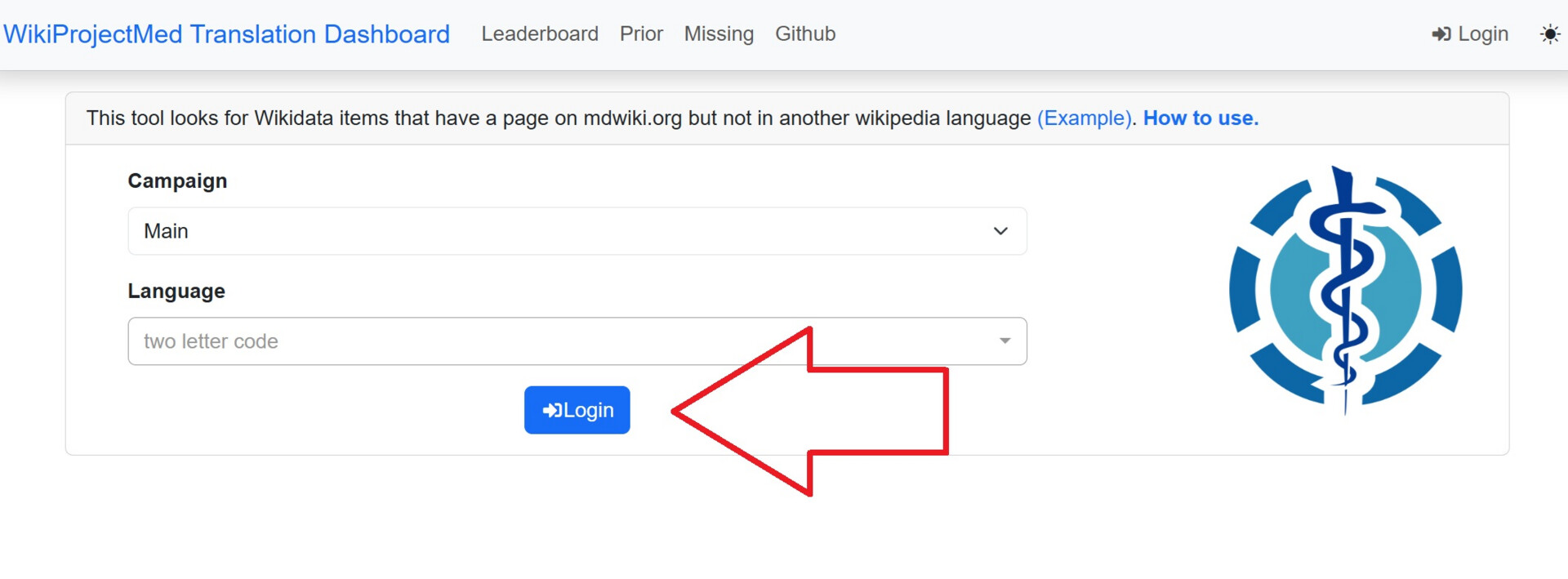
You can also login directly from the dashboard. To do so, click “login” and and enter your Wikipedia credentials in the corresponding fields.
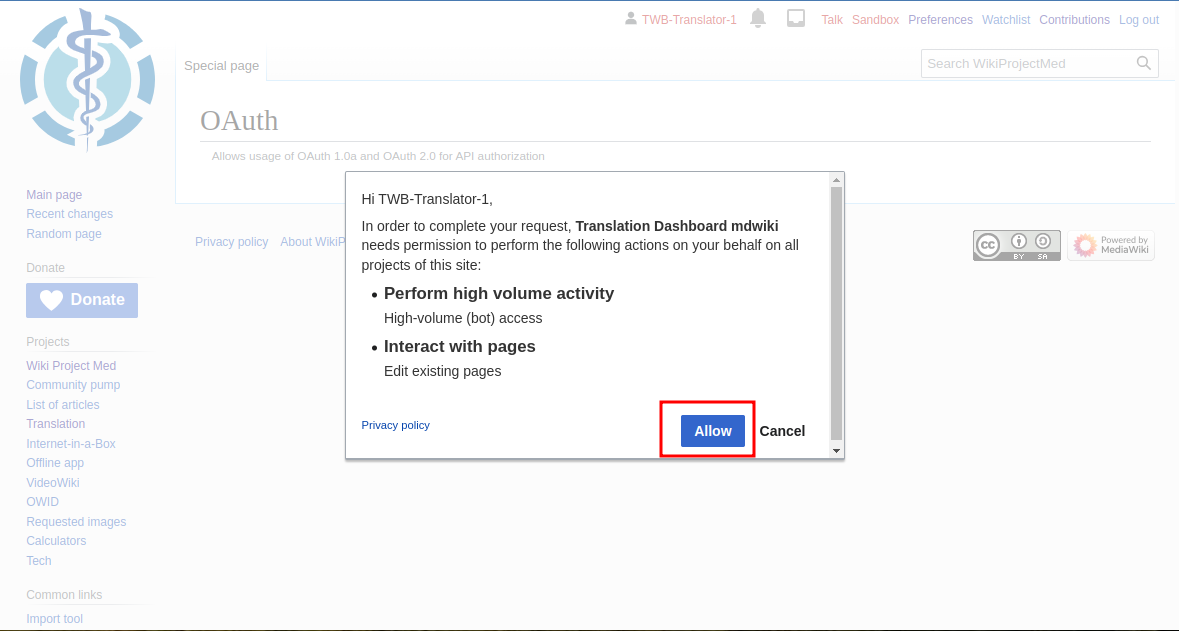
Finally, click “Allow” on the pop-up message:
Once logged in, you will see your username in the top right corner of the screen:

Claiming a new task
On the dashboard:
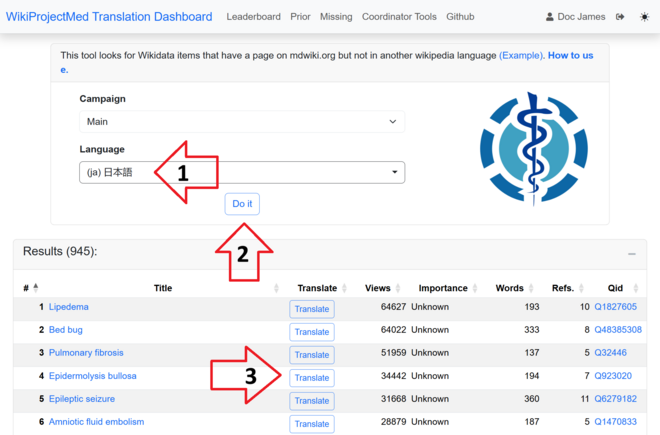
(1) Enter the two letter language code for the target language (e.g., ‘cs’ for Czech)
(2) Click “Do it”
(3) Select the article you want to translate
It may take a moment for the articles to load. Once loaded, you’ll see a list of available content for translation, along with word counts, reference numbers, and other relevant data:
Contacting the Project Manager
After claiming a task, please make sure to inform the task force project manager (@yuanqi.zhao) about the article you’re working on. This helps them coordinate support and avoid multiple people claiming the same task.
Feel free to choose as many articles as suit your schedule, and let us know which ones you’ve selected, along with the expected deadlines for completing them. This will help us provide the support you may need along the way.
Please note that deadlines should be no later than one week after claiming an article on the platform. After this period, we cannot guarantee that the article will not be claimed by another linguist.
Scope of Work
1. Summary Table (Infobox)
In the translation tool, the summary table is automatically generated. To edit it, double-click the table:
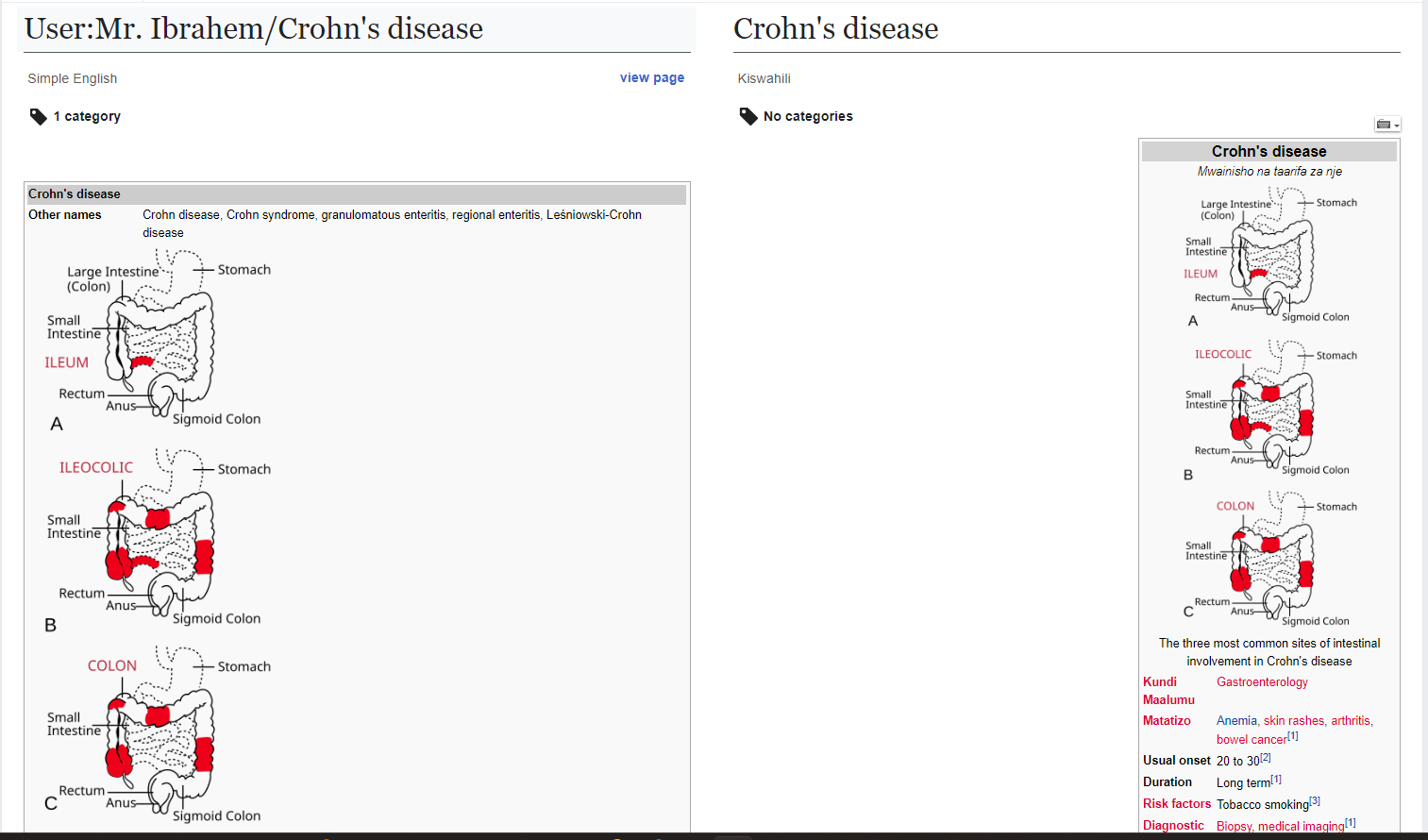
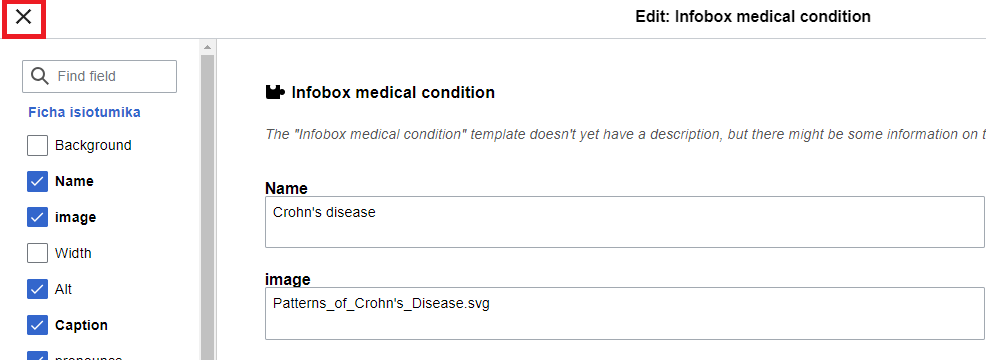
This will redirect you to another page where editable fields will appear:
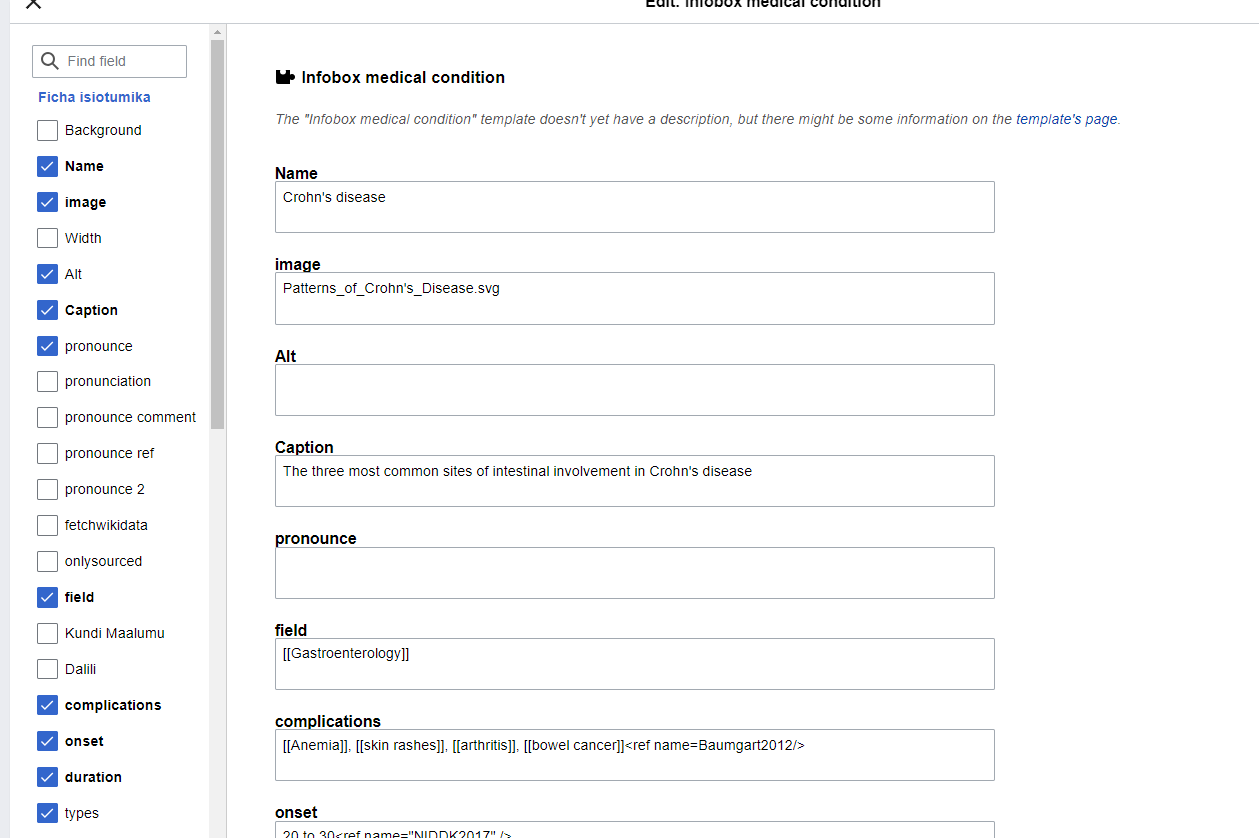
Only modify the text that was automatically populated. There’s no need to fill in additional fields. Once you’re done, scroll to the top and click “Apply changes.”
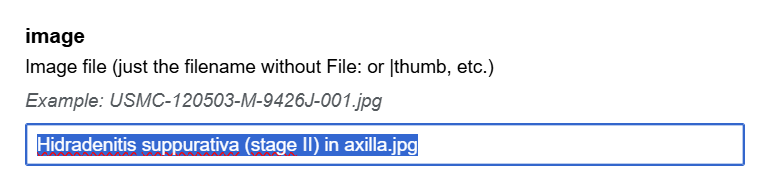
Attention: to avoid issues with the image in the infobox, do not translate the text in the “Image” field. Please leave it in English.
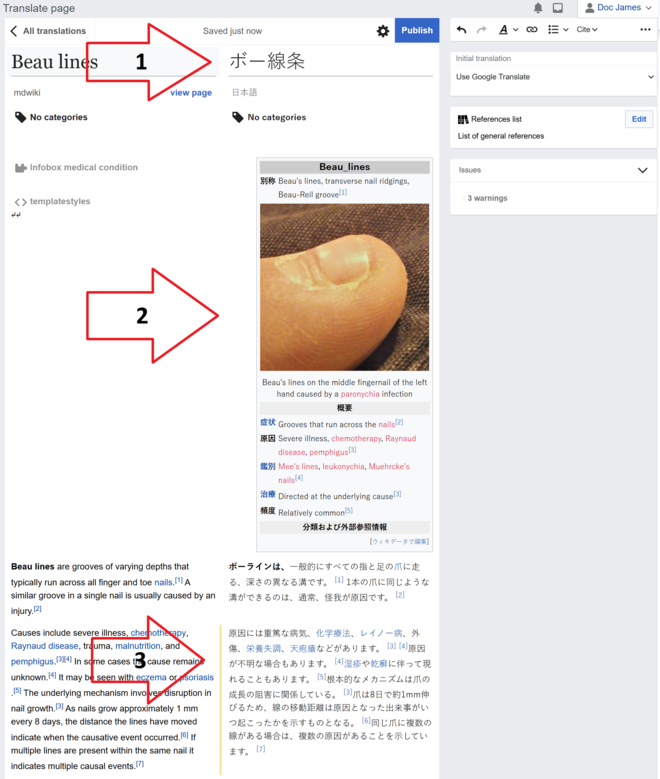
2. Summary/Extract of the Article
The system will automatically provide a machine translation of the summary paragraph on the left:

Machine translation is enabled to preserve reference links, footnotes, and formatting. If you turn this feature off, reproducing these elements manually will be more time-consuming than simply overwriting the machine-translated text.
You can now begin post-editing the translation. To better understand what’s expected from post-editing, please take a look at these instructions. Make sure the translation reflects the meaning and formatting of the source text.
While post-editing, please avoid these common editing mistakes.
If you need help with adding images, fixing broken links, or other editing tasks, check this support page.
3. References
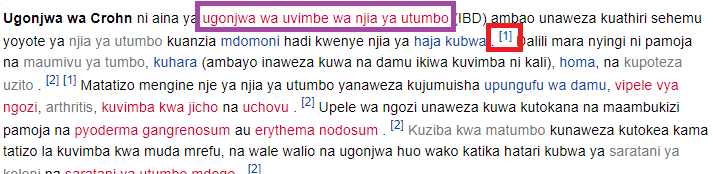
References are a key component of Wikipedia’s reliability. Trustworthy, verifiable sources are required for all facts in an article. Wiki Project Med has done the hard work of finding and validating sources. References are automatically propagated when you include the corresponding footnotes and hyperlinks. There is NO need to change or move the references.
However, please double-check that all references in the target version match those in the source. If any are missing, return to the corresponding paragraph and add the appropriate hyperlink or note. Formatting is crucial here.
If the source text had 2 references associated with the third sentence (e.g., footnotes [1],[3]), your finalized translation must also have these two references.
Known Problem:
- sometimes the machine translation adds spaces before or after the references (footnotes). These should be deleted to match the formatting in the target language.
You can review Wikipedia’s reference guidelines here.
4. Categories
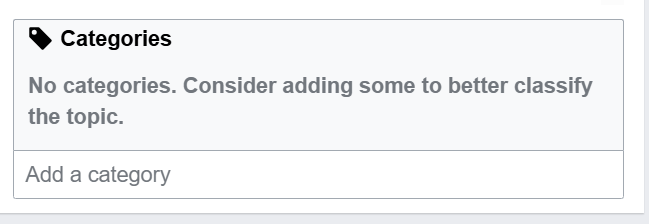
Please consider adding at least one category to the article — this improves its classification and helps users find related content.
Categories group articles by shared topics. For example:
-
“Cities” → articles about cities
-
Czech → articles related to Czech
-
Set Theory → articles about this mathematical field
Articles should avoid excessive links in the “See also” section and instead prioritize the most relevant ones.
Ideally, every page should belong to at least one category. The only question is how specific the categories should be. Some articles may fit into several, but most can be easily limited to one or two.
You can find more information about categories here.
5. Publishing
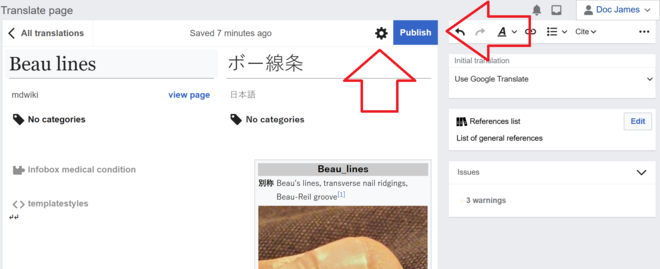
The final step is publishing. Click the gear icon to choose whether you want to publish the article live or save it as a personal draft if you’re not yet ready.
Resources
Video Instructions
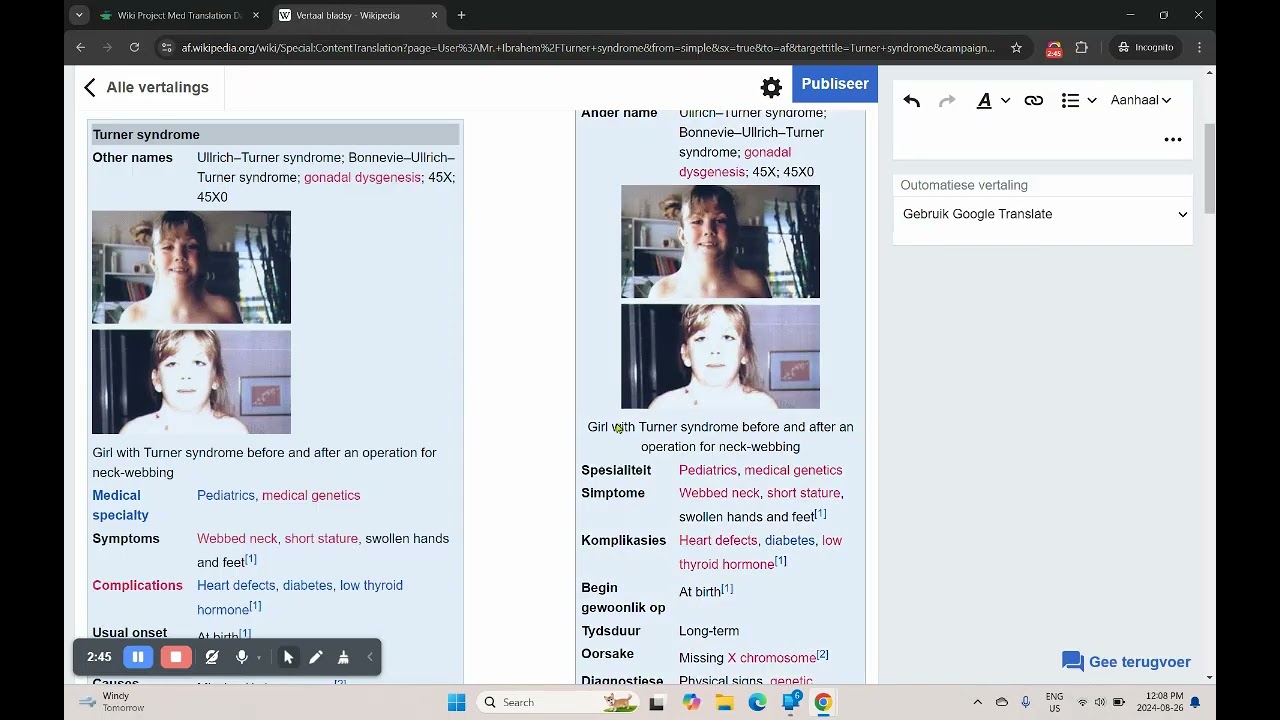
The video below explains the Wiki Project Med Translation Dashboard and process.
Glossaries and Term Bases
Since we’re not using Phrase (our usual CAT tool) for this project, you won’t have access to Translation Memories (TMs) or Term Bases (TBs).
However, during the translation process, you can use [—] as a reference tool.
You can also find some common term resources for European languages and ICD-11 tool here.